

Look, I’ll be honest with you. A few years ago, I was paying over $120 a month for cable TV, and I barely watched half the channels. Sound familiar? Then I discovered IPTV, and honestly, it changed everything about how I watch TV.
If you’re tired of expensive cable bills, confusing contracts, and watching whatever’s on instead of what you actually want to watch, you’re in the right place. Let me break down everything about IPTV in a way that actually makes sense.
So… What Exactly is IPTV?
IPTV stands for Internet Protocol Television. But forget the fancy tech talk for a second. Here’s what it really means: instead of getting your TV through a cable box or satellite dish, you’re getting it through your internet connection. That’s it.
Think about how you watch YouTube or Netflix. IPTV works pretty much the same way, except you’re watching regular TV channels, live sports, news, and everything else you’d normally watch on cable. The big difference? You’re streaming it over the internet instead of through those old-school cable wires.
The cool part is that IPTV streaming is way more flexible than traditional TV. You can pause live TV, watch stuff you missed earlier, and even watch on your phone while you’re waiting for a bus. Try doing that with cable!
How Does IPTV Actually Work?
Okay, I’m not going to bore you with too many technical details, but here’s the basic idea. Your TV shows get turned into little data packets (kind of like tiny puzzle pieces) that travel through your internet connection. Your device puts these pieces back together and boom – you’re watching TV.
What makes IPTV technology special is that it’s smart. If your internet slows down for a second, it automatically adjusts the quality so you don’t get that annoying buffering wheel. When your internet speeds back up, the picture gets clearer again. Pretty neat, right?
Different Types of IPTV Services (And Which One You Need)
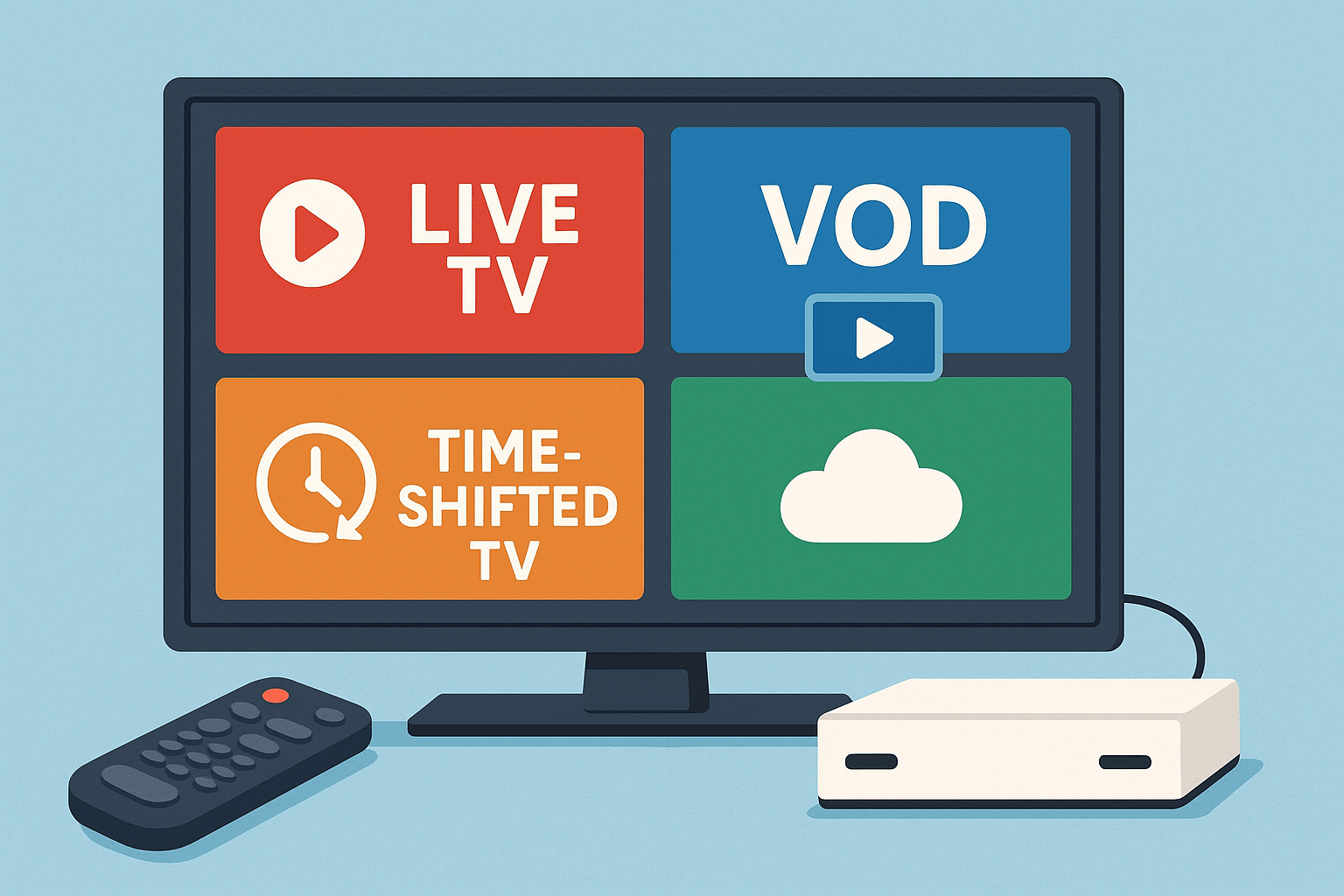
Not all IPTV services are the same. Let me break down the main types:
Live IPTV – Just Like Regular TV, But Better
Live IPTV is exactly what it sounds like. You’re watching channels as they broadcast in real-time. The news at 6 PM, Monday Night Football, your favorite morning show – it’s all there, happening live.
But here’s where it gets better than cable: most IPTV providers let you pause, rewind, and even record live TV. Doorbell rings during the game-winning goal? No problem. Just rewind and watch it again.
Video on Demand (VOD) – Your Personal Movie Library
This is where VOD IPTV comes in. Think of it as having a massive video store right in your living room. Want to watch a movie from 2015 at 2 AM? Go for it. Want to binge-watch an entire season of a show? Nobody’s stopping you.
The beauty of VOD is that you’re completely in control. No waiting for reruns, no checking TV schedules. If it’s in the library, you can watch it whenever you want.
Catch-Up TV – For When Life Gets in the Way
We’ve all been there. You meant to watch that show last night, but you fell asleep on the couch. With catch-up TV (also called time-shifted media), you can go back and watch shows that aired hours or even days ago.
It’s like having a DVR, except you don’t have to remember to record anything. The service does it for you automatically.
Free vs. Paid IPTV Services
Here’s where I need to be real with you. Yes, there are free IPTV services out there. But here’s the thing – most of them are either illegal, unreliable, or both. They might work great for a week, then suddenly disappear. Or worse, they could get you in legal trouble.
Legal IPTV services like Sling TV, YouTube TV, Hulu Live, and FuboTV cost money, but they’re totally above board. They have proper licenses, good customer service, and they’re not going to vanish overnight. Trust me, the peace of mind is worth a few bucks a month.
IPTV vs Cable vs Satellite: The Real Talk
Let me lay out the differences in a way that actually matters to your wallet and your lifestyle.
The Money Part (This is Important)
Cable and satellite TV will run you anywhere from $50 to $150 per month, and that’s usually after the “introductory rate” expires. I learned that lesson the hard way.
IPTV packages start as low as $10 to $30 per month. Even the premium ones rarely go above $80. That’s real money you’re saving – we’re talking $500 to $1,000+ per year. You could take a vacation with those savings!
Watching What You Want, When You Want
With cable, you’re stuck with whatever’s playing. With satellite, you need a clear view of the sky, and good luck watching anything during a storm.
IPTV lets you watch on your TV, your laptop, your tablet, your phone – wherever you want. I’ve watched football games on my phone while grocery shopping (don’t judge me). Try doing that with cable.
Getting Set Up
Remember when you had to wait around all day for the cable guy? And then pay an installation fee? Those days are over.
Setting up IPTV is simple. You need an IPTV device (more on that in a minute), an internet connection, and about 10 minutes. No drilling holes in your walls, no professional installers, no hassle.
Channel Selection
Cable TV gives you hundreds of channels you’ll never watch. IPTV gives you the channels you actually want, plus a bunch of international options that cable doesn’t even offer.
Want to watch British football? Korean dramas? News from your home country? IPTV streaming has you covered.
The Legal Stuff (Yeah, We Need to Talk About This)
Okay, this is the part where I put on my serious face. The legal side of IPTV is important, and a lot of people get confused about it.
What Makes IPTV Legal?
Here’s the simple truth: legal IPTV means the service has permission to show you that content. They’ve paid the TV networks, sports leagues, and movie studios for the rights to stream their stuff.
Think of it like this: Netflix is legal because they pay for the rights to show you movies and shows. The sketchy website promising 5,000 channels for $5 a month? Yeah, they definitely don’t have those rights.
How to Spot the Legit Services
Legal IPTV services have a few things in common:
- They’re actual companies with real customer service
- You can find their apps in the official app stores
- They charge reasonable prices (if it seems too good to be true, it probably is)
- They have clear terms of service and privacy policies
- They accept normal payment methods (not just cryptocurrency)
If an IPTV provider is charging $10 a month for 10,000 channels including every premium movie channel and all sports, that’s a massive red flag. Those licenses cost millions of dollars – nobody’s selling them for pocket change.
What Could Go Wrong?
In the US, the UK, and most other countries, using illegal IPTV services can get you in serious trouble. We’re talking fines, legal notices, and in some extreme cases, criminal charges.
But beyond the legal stuff, illegal services are just unreliable. They go down during big games, the quality is terrible, and they often shut down without warning. Plus, some of them install malware on your devices. Not worth it.
My Advice? Stick with the Legal Ones
I know paying for a subscription isn’t as appealing as “free,” but trust me – the headaches and risks of illegal IPTV aren’t worth the savings. There are plenty of affordable legal options that work great and won’t land you in hot water.
Best Devices for IPTV in 2025
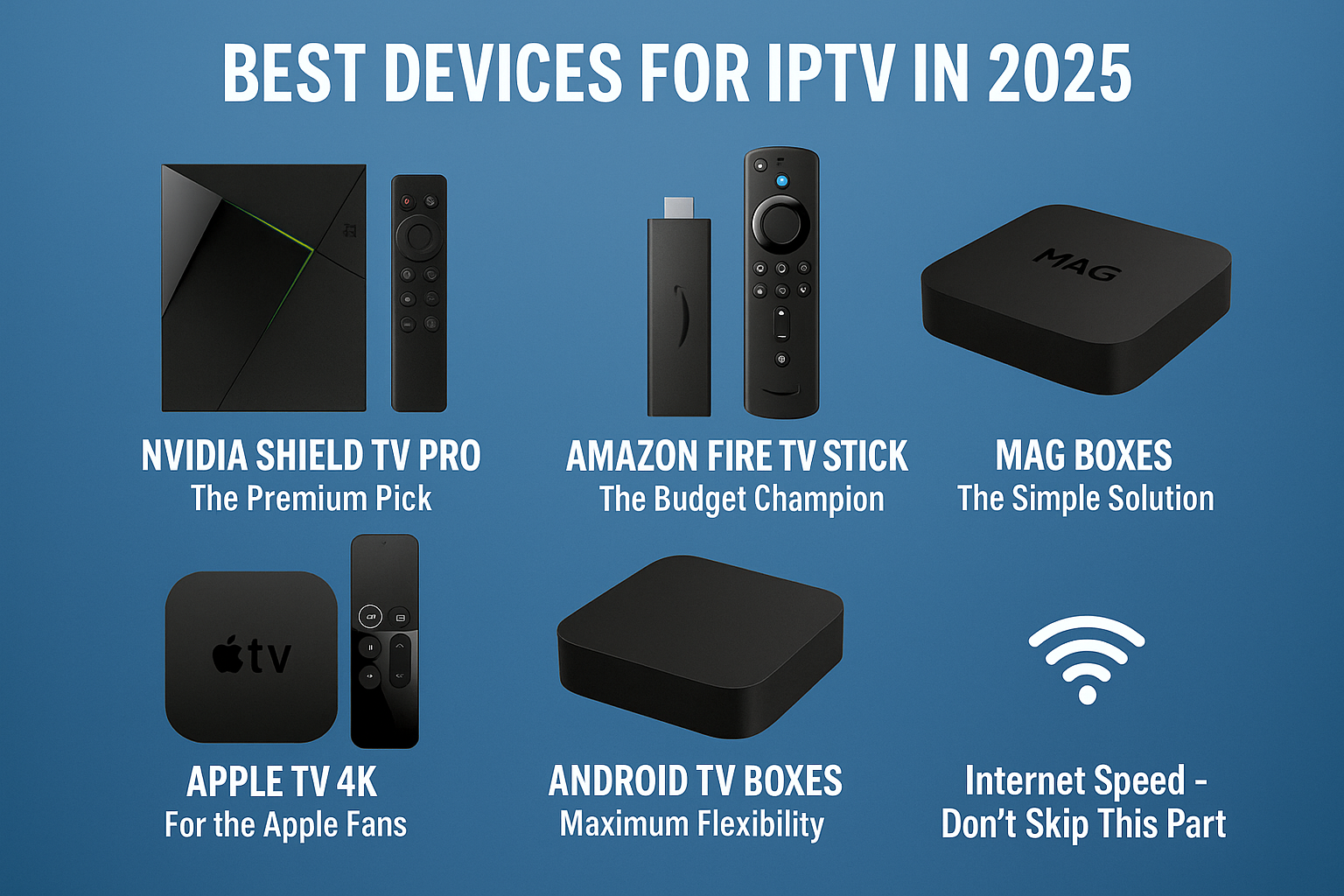
Alright, let’s talk hardware. You need something to actually watch IPTV on, and there are tons of options. Here are the ones I recommend:
NVIDIA Shield TV Pro – The Premium Pick
If you want the absolute best, this is it. The Shield TV Pro is a beast. It makes your regular HD streams look almost as good as 4K, it never lags, and it can handle any IPTV app you throw at it.
Yeah, it costs more than other options, but if you’re serious about your TV watching experience, it’s worth every penny. I’ve had mine for three years and it still works like new.
Amazon Fire TV Stick 4K Max – The Budget Champion
For most people, this is probably the best choice. It’s cheap, works great, and you can literally carry it in your pocket. I keep one in my travel bag for hotel rooms.
It does 4K, has Alexa built in, and can handle all the major IPTV applications. For around $55, you really can’t beat it.
MAG Boxes – The Simple Solution
If you’re not super tech-savvy, MAG boxes are perfect. You just plug it in, enter your IPTV subscription details, and you’re watching TV. No complicated setup, no fiddling with settings.
My parents use a MAG 524, and they love it. It just works, which is exactly what you want.
Apple TV 4K – For the Apple Fans
If you’re already in the Apple ecosystem, Apple TV 4K is fantastic. It looks beautiful, works smoothly with all your other Apple devices, and has access to great IPTV apps through the App Store.
It’s expensive, but if you value that seamless Apple experience, you won’t be disappointed.
Android TV Boxes – Maximum Flexibility
Android TV boxes come in all shapes, sizes, and prices. They give you tons of options for IPTV players and apps. Some are cheap and cheerful, others are high-end powerhouses.
The flexibility is great, but make sure you buy from a reputable brand. There are some sketchy Android boxes out there.
The Apps You’ll Need
Once you have your device, you’ll need an IPTV app. The big ones are:
TiviMate is my personal favorite. It’s clean, fast, and has all the features you need. The interface is easy to navigate, and it handles multiple playlists without breaking a sweat.
IPTV Smarters Pro is another solid choice. It works on pretty much everything and has good parental controls if you’ve got kids.
Perfect Player is great if you like customizing everything. It takes a bit more setup, but you can make it work exactly how you want.
Internet Speed – Don’t Skip This Part
Here’s something important: IPTV needs decent internet. Not crazy fast, but decent.
For regular TV quality, you need at least 5 Mbps. For HD, aim for 10-15 Mbps. For 4K, you’ll want 25 Mbps or more.
Also, use a wired ethernet connection if you can. WiFi is convenient, but ethernet is more reliable. Nothing kills the vibe like buffering during the big game.
Setting Up IPTV: The Step-by-Step Guide
Let me walk you through getting IPTV up and running. It’s easier than you think.
Step 1: Pick Your Service
Start by researching IPTV providers. Look at:
- What channels they offer
- How much they cost
- Whether they have the sports or shows you care about
- What people say about them in reviews
- If they offer a free trial
Most good services let you try before you buy. Use that trial to make sure everything works during peak hours (evenings and weekends when everyone’s watching).
Step 2: Choose Your Device
Pick something from the list above based on your budget and what you need. If you’re not sure, go with the Fire TV Stick 4K Max. It’s a safe bet for most people.
Step 3: Install Your App
Download TiviMate, IPTV Smarters, or whatever app you’ve chosen. Enter your subscription info (usually an M3U URL or Xtream Codes that your IPTV provider gives you), and let it load your channels.
The first time might take a few minutes while it downloads all the channel information. Grab a coffee and be patient.
Step 4: Set It Up How You Like
Organize your channels into favorites, set up parental controls if needed, adjust the video quality settings, and you’re good to go.
Cool Features You Should Know About
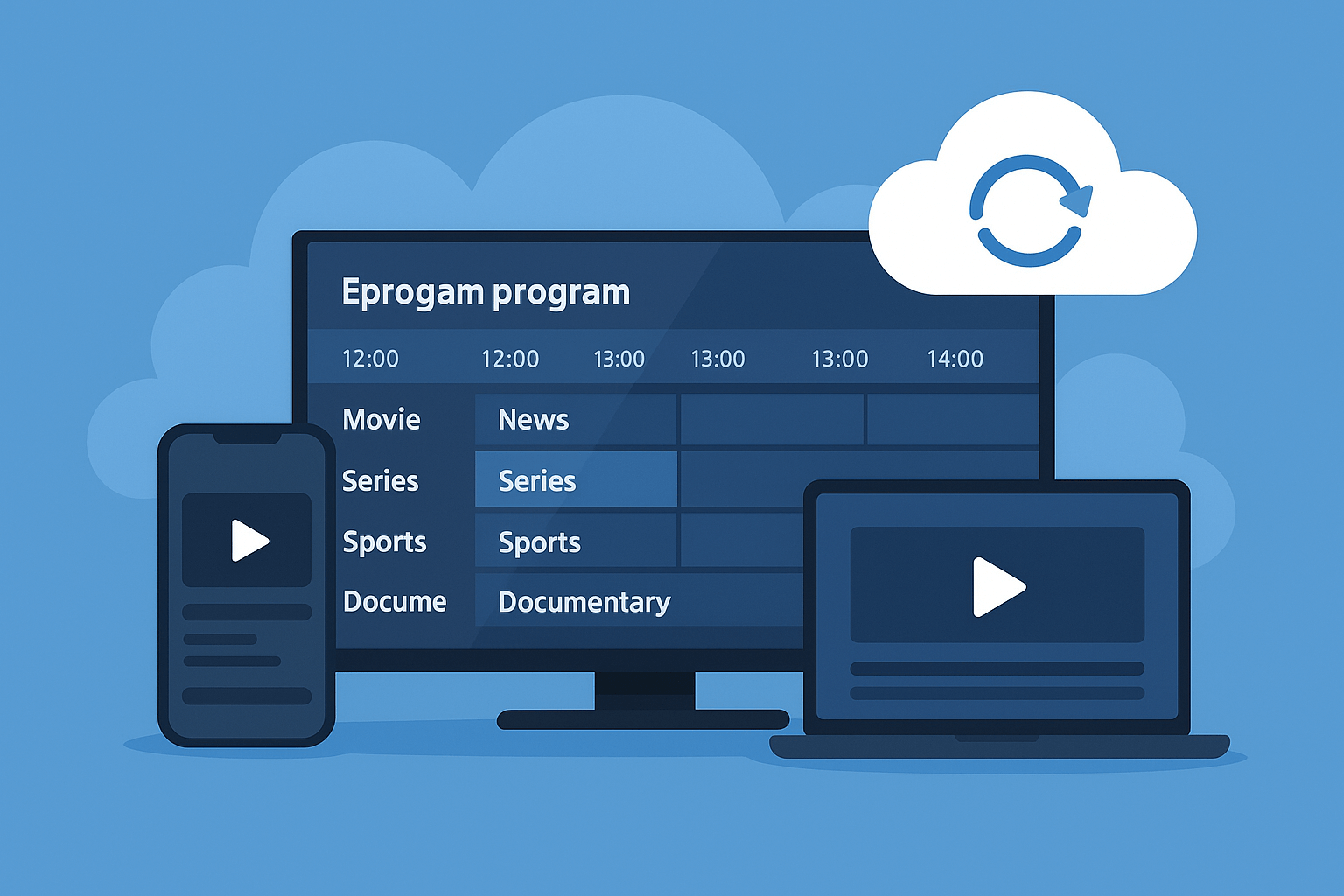
Modern IPTV services have some pretty awesome features that make them way better than cable.
Electronic Program Guide (EPG)
This is basically your TV schedule. It shows you what’s on now and what’s coming up. Most IPTV apps have great EPGs that let you see days or even weeks ahead.
You can usually click on a show in the EPG to set a reminder or start recording. It’s super handy.
Watching on Multiple Screens
Most IPTV subscriptions let you watch on more than one device at the same time. This means your kids can watch cartoons in their room while you watch the game in the living room. Everyone’s happy.
Cloud DVR
Some services offer cloud recording. You can record shows and movies to watch later, and they’re stored in the cloud, not on your device. This means you can start watching on your TV and finish on your tablet without transferring files or anything complicated.
Catch-Up Features
Missed your favorite show? Most IPTV platforms keep shows available for a few days after they air. You can go back and watch them anytime.
Smart Streaming
The IPTV automatically adjusts quality based on your internet speed. Fast internet? Crystal clear picture. Internet slowing down? It drops to standard definition instead of freezing up. It’s smart enough to give you the best experience possible with whatever connection you have.
Keeping Your IPTV Secure
Let’s talk about staying safe while using IPTV.
Should You Use a VPN?
A VPN (Virtual Private Network) creates a private tunnel for your internet traffic. Here’s why some people use them with IPTV:
Some internet companies slow down your connection when they see you’re streaming video. A VPN hides what you’re doing, so they can’t do that. It also keeps your watching habits private.
Now, here’s the thing: if you’re using a legal IPTV service, you don’t really need a VPN for legal protection. But some people like the extra privacy and the protection against throttling.
Picking a Good VPN
If you decide to use a VPN with your IPTV, look for one that’s fast (slow VPNs will kill your streaming quality), doesn’t keep logs of what you do, and has good reviews.
Some popular ones are NordVPN, ExpressVPN, and Surfshark. They all work well with IPTV streaming.
When Things Go Wrong: Quick Fixes
Even with everything set up perfectly, you might run into issues. Here’s how to fix the most common ones.
Buffering and Freezing
This is the most annoying problem. Usually it means your internet isn’t fast enough or something’s hogging bandwidth. Try:
- Restarting your router (seriously, this fixes like 50% of problems)
- Closing other apps and stopping downloads
- Moving closer to your WiFi router or switching to ethernet
- Lowering the video quality in your IPTV app settings
Channels Won’t Load
If your channels aren’t showing up:
- Check if your subscription is still active
- Refresh your playlist in the app
- Make sure your IPTV provider isn’t having server issues (check their website or social media)
App Keeps Crashing
Apps crash sometimes. Here’s what to do:
- Clear the app cache in your device settings
- Make sure the app is updated to the latest version
- If all else fails, uninstall and reinstall it
Picture Quality Sucks
If your video looks fuzzy:
- Check your internet speed (use speedtest.net)
- Make sure quality settings in your app are set to “Auto” or “High”
- Verify your device can actually display HD or 4K
Most problems are honestly just internet-related. If you’re having consistent issues, consider upgrading your internet plan.
What’s Next for IPTV?
The future looks pretty exciting for IPTV. Here’s what’s coming:
Everyone’s Switching Over
More and more people are ditching cable for IPTV every year. The numbers don’t lie – cable companies are losing customers while IPTV services are growing like crazy.
5G is Changing Everything
As 5G networks spread, IPTV streaming on mobile devices is getting way better. Soon you’ll be able to watch 4K streams on your phone anywhere without worrying about buffering.
Smart Home Integration
IPTV is getting better at working with smart home devices. You can already use voice commands with Alexa or Google Assistant to change channels or find shows. This is only going to get more seamless.
AI Making Things Personal
The IPTV platforms are getting smarter about learning what you like. They’ll suggest shows you’ll actually want to watch, organize channels based on your habits, and make everything feel more personalized.
Better Picture Quality
4K is becoming standard, and some IPTV providers are already testing 8K streaming. The picture quality just keeps getting better.
How to Choose the Right IPTV Service
With so many options out there, here’s what you should actually look for:
What’s Included?
Make sure the service has the channels you actually watch. There’s no point paying for 500 channels if they don’t have your local news or your favorite sports network.
Check if they have the stuff you care about – sports packages, movie channels, international programming, whatever matters to you.
Picture Quality
In 2025, you should expect at least HD quality. If a service is still doing standard definition only, that’s a red flag. Look for services offering 4K on major channels and events.
Works on Your Stuff
Make sure the IPTV service works on all your devices. If you want to watch on your phone, tablet, and TV, verify it supports all three before signing up.
What’s It Really Cost?
Good IPTV subscriptions usually run $10-$40 per month. Annual plans are usually cheaper if you’re sure about the service.
Watch out for hidden fees – some services charge extra for DVR, additional screens, or premium channels. Make sure you know the total cost upfront.
Can You Actually Get Help?
Good customer support matters more than you think. When something goes wrong at 8 PM on Sunday night, you want to be able to reach someone who can help.
Look for services with live chat, email support, and actual phone numbers you can call.
Try Before You Buy
Always use free trials when they’re available. A service can look great on paper and suck in reality. Testing it yourself, especially during busy times, tells you everything you need to know.
Final Thoughts
IPTV isn’t just some tech fad – it’s genuinely the future of how we watch TV. It’s cheaper than cable, way more flexible, and honestly just makes more sense for how we live today.
The key is doing it right. Stick with legal IPTV services, get decent internet, pick a good device, and you’re set. Don’t fall for those “too good to be true” offers because they usually are.
I’ve been using IPTV for years now, and I can’t imagine going back to cable. The freedom to watch what I want, when I want, on whatever device I want – that’s what TV should be.
Whether you’re looking to save money, get more channels, or just have more control over your TV experience, IPTV has something to offer. Just take your time researching, use free trials, and find what works for you.
The hardest part? Figuring out what to watch with all your new options!
Want to know more? Head over to ABC Magazine.
